Introducing Campaign Management
Run and manage your influencer campaigns end to end inside CreatorDB, backed by our creator data. Plus a new content-format toggle and a round of quality-of-life improvements.
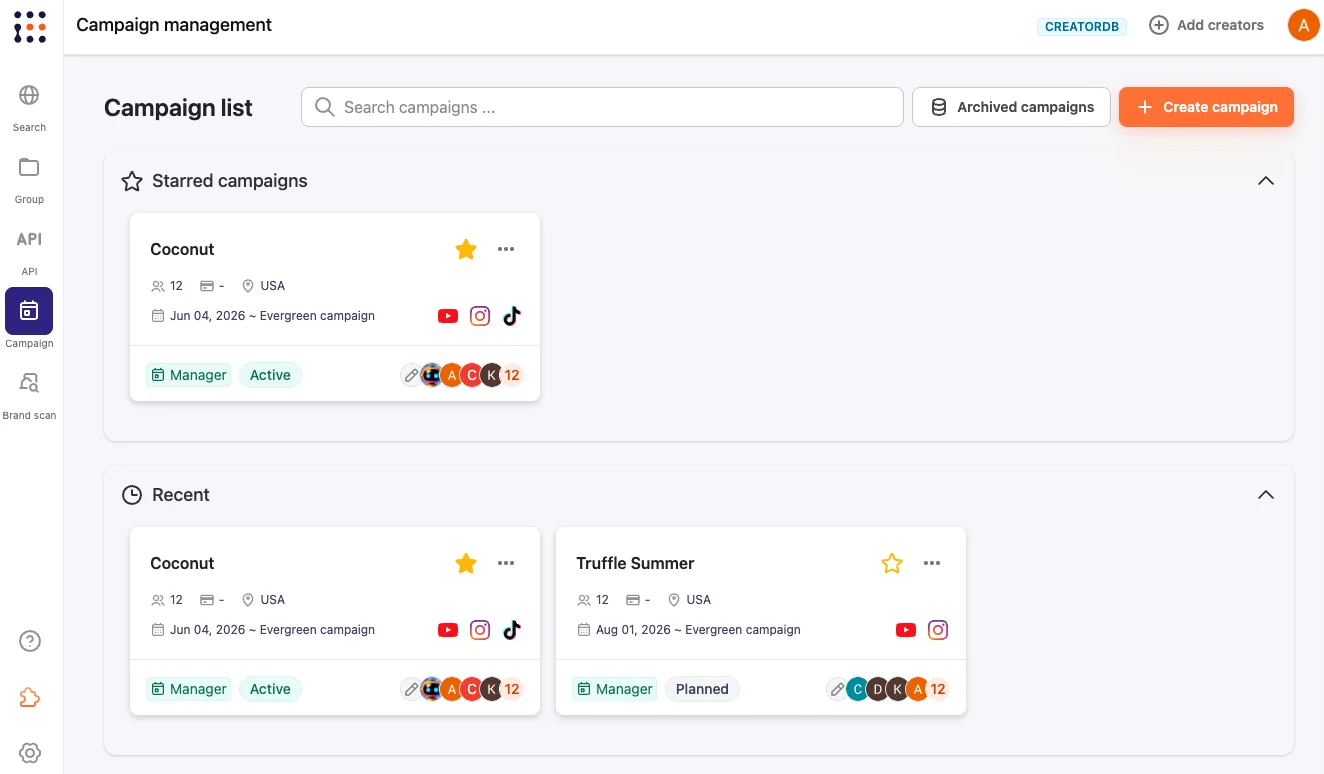
We’re excited to launch our new Campaign Management tool to help you run and manage influencer marketing campaigns efficiently. It brings the whole workflow, from brief to partnered-content metrics, into CreatorDB and backs every step with our creator data.
New: Campaign Management
Run your own campaigns directly inside CreatorDB, integrated with and backed by CreatorDB data. With Campaign Management, you can:
- Create, edit, and manage campaign briefs so the scope, deliverables, and goals live in one place.
- Find and add creators to your campaign board straight from the database you already search.
- Manage creator statuses throughout the campaign, from shortlisted to contacted to live.
- Seamlessly invite clients to review and approve proposals on the client sheet, so sign-off happens in one shared view.
- Get performance metrics on partnered content to see how each collaboration actually performed.
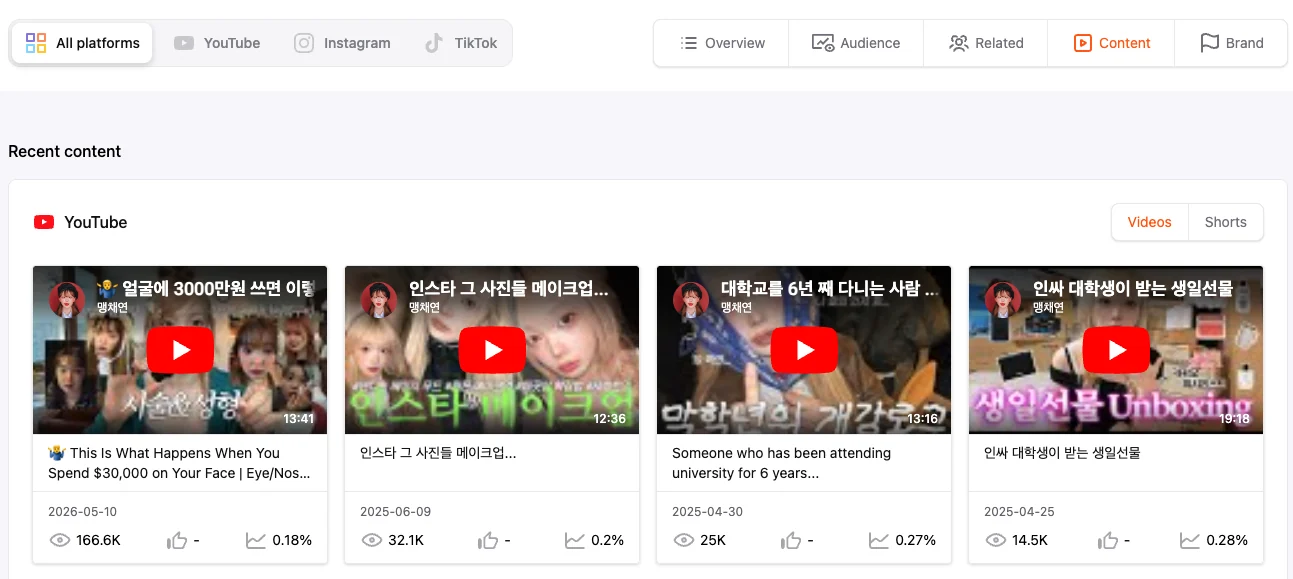
New: Content-format toggle
You can now toggle between content formats in the Content tab. Shuffle between YouTube Videos or Shorts and Instagram Posts or Reels to view only a specific content format in each tab, making it easier to judge how a creator performs in the exact format you plan to brief.
Improvements
- Clearer time ranges – time-constrained data now has clearly defined time ranges.
- Faster CSV exports – we’ve optimized CSV download time.
Bug fixes
- Fixed the keyword filter.
That’s everything in this release. We value input from all of our users, so if there’s something you’d like to see in Campaign Management or anywhere else in CreatorDB, please feel free to reach out with your feedback.
Work with CreatorDB
Run your next
campaign.
Open the CreatorDB app to start a campaign board and shortlist creators, or talk to our Asia agency team about running the whole campaign with you.
Frequently Asked Questions.
What can I do with Campaign Management in CreatorDB?
Campaign Management lets you run influencer campaigns directly inside CreatorDB, backed by our creator data. You can create, edit, and manage campaign briefs, find and add creators to a campaign board, manage each creator’s status through the campaign, invite clients to review and approve proposals on a shared client sheet, and pull performance metrics on partnered content.
Can clients review and approve creators without a CreatorDB account?
Yes. You can invite clients to a shared client sheet where they can review your proposed creators and approve the lineup, so sign-off happens in one place instead of over email or spreadsheets.
What is the new content-format toggle?
In the Content tab you can now toggle between content formats. Switch between YouTube Videos or Shorts and Instagram Posts or Reels to view only a specific format in each tab, making it easier to judge how a creator performs in the format you plan to brief.
What else changed in this release?
Time-constrained data now shows clearly defined time ranges, CSV download time has been optimized, and the keyword filter bug has been fixed.